# Package Name ( app id )
The package name of an Android app uniquely identifies your app on the device Play Store.
### **Step 1 - Application ID**
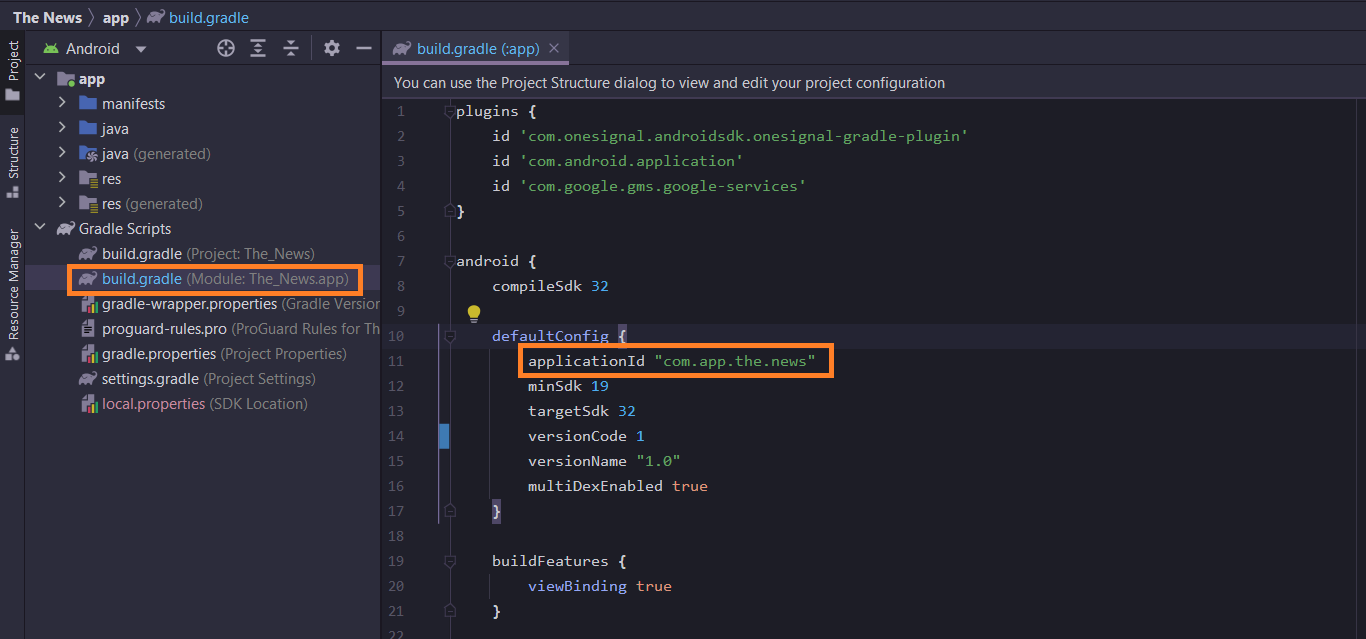
1. Open **Gradle Scripts → app/build.gradle**
2. Change the application ID with your own id name
3. Standard naming procedure : **`com.company.appname`**
4. Click **Sync Now**.
5. Change the id as unique as possible, because application id is very important used if you want to publish the application to the google play.
{% hint style="info" %}
Important : your **applicationId** must will use to generate google-services.json on firebase console configuration
{% endhint %}
### **Step 2 - Package Name (Optional)**
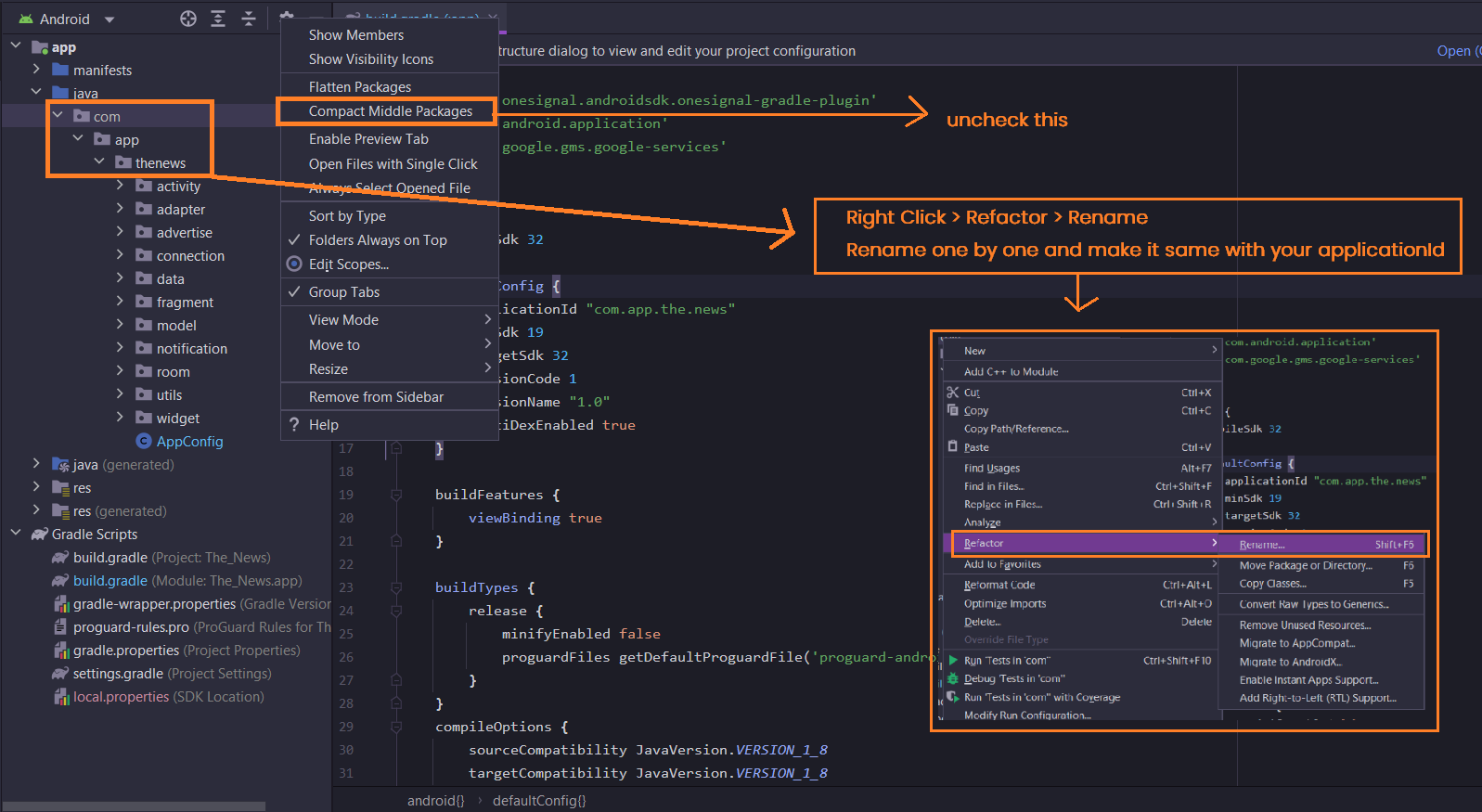
This step is optional, because unique id for app identifier already configure at Step 1 above, you can go without change package folder name, but if you want to change id here the step
1. Click once on your package and then click setting icon on Android Studio.
2. Close / Unselect **Compact Empty Middle Packages**
3. Right click your package and rename it.